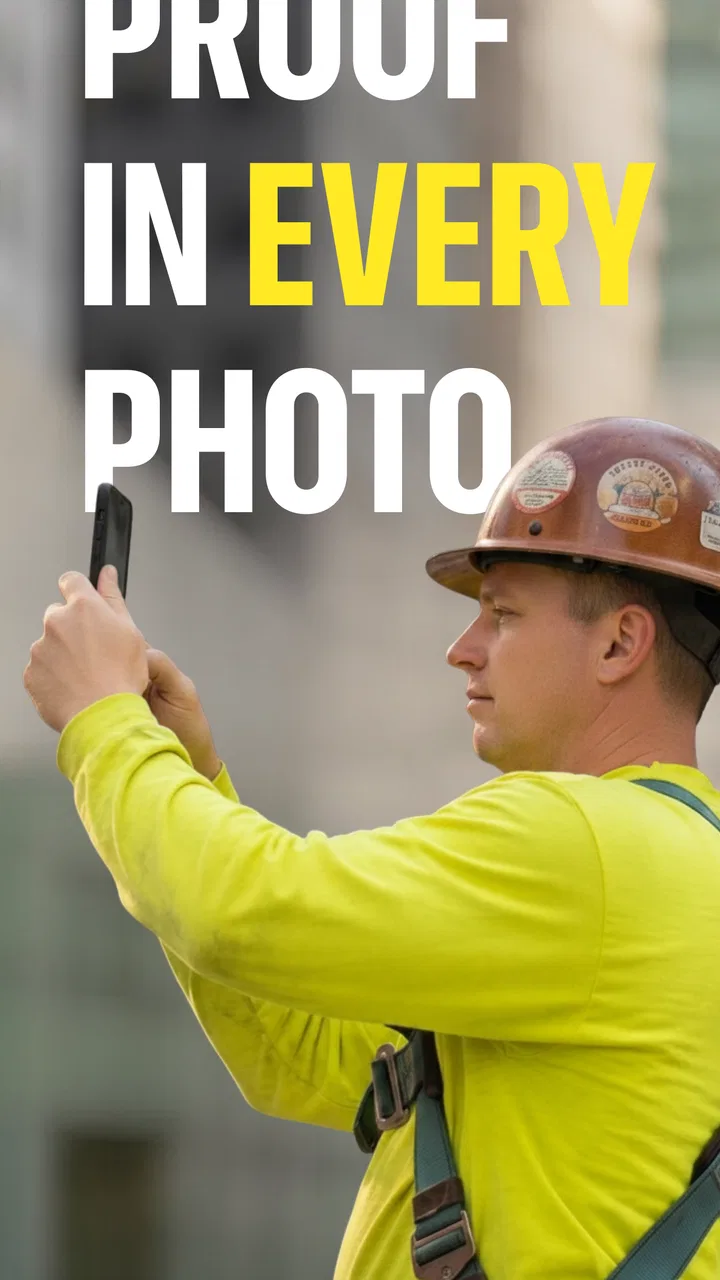
Timemark: Photo Proof for Work
- 4.8
- Rating
- 10.00M
- Installs
- Free
- Price

 Analysis by App-foxy
When a job depends on proving what happened at a particular place and time, ordinary phone photos can quickly become messy evidence. Images sit in the camera roll beside personal pictures, filenames are unhelpful, and the important context may exist only in someone’s memory. Timemark: Photo Proof approaches that problem as a photography app for documenting work, with a focus on timestamped and geotagged images rather than artistic editing.
I found the app most interesting as a practical record-keeping tool. It is aimed at people who need to capture, collect, and organize job photos while moving through real locations. That makes it relevant to inspections, maintenance visits, construction progress, property checks, deliveries, field service, and similar work where a photo needs context to be useful later.
The app is free to install and is rated for Everyone, so the basic barrier to trying it is low. It comes from OG Co. and has built a strong audience in the Photography category, with an average rating of 4.8 from around 737 thousand ratings and more than 10 million installs. Those figures do not replace hands-on judgment, but they do suggest that the workflow has broad appeal.
You May Also Like

 Google Keep - Notes and lists
Google Keep’s Quiet Growth Shows the Appeal of Simpler Notes
As mobile work gets busier, Google Keep keeps winning a simple contest: capture a thought quickly, find it later, and get on with the day.

 Blood Strike: 2.5 Anniversary
Blood Strike’s Loadouts Turn Every Drop Into a Tactical Gamble
A close look at Blood Strike’s custom loadouts: how fast access to signature weapons reshapes its battle royale rhythm, rewards preparation, and narrows the gap between fights.

 Pandora - Music & Podcasts
Pandora’s Music Is Easy to Start, but Harder to Recover
Pandora’s strength is its low-effort path from a seed to a station. Its weak spot is how much confidence it asks you to place in connection, setup, and quiet recovery.

 8 Ball Pool
 Is Built on Rivalries, Rematches, and Routine
A close look at the rivalries, rematches, shared routines, and unanswered safety questions that turn a quick pool match into a persistent mobile community.

 Samsung Music
’s Quiet Strength Is Playing What You Already Own
Its reach comes less from spectacle than from dependable access to a personal library. That simplicity is both the app’s strongest retention engine and its ceiling.

 AccuWeather: Weather Radar
AccuWeather Review: A Quick, Clear Forecast for Everyday Decisions
For everyday plans, the best forecast is the one you can understand quickly. AccuWeather makes rain timing, radar, and local conditions easy to act on, with a few trade-offs.
More From Our News Desk



From an unorganized camera roll to a usable job record
I start with the problem this app is built to solve: turning a day’s scattered work pictures into a record someone else can actually follow. That means looking beyond the moment of capture to the choices that make photos useful later—what to photograph first, how to keep the sequence clear, and when the usual camera roll is enough. From there, I’ll consider the practical demands of using it on busy jobs.
The starting condition matters more than the camera
My first impression is that Timemark: Photo Proof is not trying to compete with a dedicated camera app on image controls. Its value begins before the shutter is pressed: it helps turn a picture into a work record. That distinction is important. If you want filters, manual exposure, creative composition, or advanced editing, a conventional camera app is likely a better fit. If you need to show where and when a task was documented, the surrounding information matters just as much as the image.
A realistic example would be a property maintenance worker visiting several apartments after a water leak. The worker may need to record the affected wall, the condition of nearby flooring, and the completed repair. With a normal camera, those pictures can become a long sequence of nearly identical files. Later, it may be difficult to remember which room each image belongs to or which visit it represents. A timestamp and location attached to the capture give the photos a stronger starting point for review.
I would also use it for a small contractor who needs to document progress for a client. A photo of an unfinished surface is not very persuasive on its own if the client asks when it was taken. A photo collected as part of a job-oriented record is easier to connect with the day’s work. That does not make the image automatically conclusive, but it reduces the amount of explanation required around it.
The useful mindset is to decide what must be proven before taking the first picture. Is the goal to show an existing defect, confirm that a component was installed, record a meter, or demonstrate that a location was visited? Thinking this way helps avoid the common mistake of taking many pictures without a clear sequence. The app can support the record, but it cannot decide what evidence a particular client, supervisor, or dispute actually requires.
A practical capture routine
I recommend beginning each visit with a wide establishing image, followed by closer photos of the relevant details. The first image gives the later viewer orientation; the close-ups provide the evidence. For example, at a repair site, one photo can show the room and affected area, another can show the damaged material, and a final one can show the completed result. This simple order is more useful than a random collection of close-ups.
Because the app is built around timestamps and geotags, it is especially important to capture the images while you are physically at the job location. Taking pictures later from the camera roll defeats much of the purpose of a location-aware workflow. I would treat each image as a contemporaneous note: capture it when the condition exists, keep the sequence logical, and avoid postponing the record until the end of the day.
There is a subtle trade-off here. Location context can make a photo more credible and easier to sort, but it also makes the record dependent on the phone’s location environment. Indoor sites, dense buildings, and places with weak positioning can make location information less convenient than it is outdoors. For that reason, I would not rely on one image alone for a sensitive handoff. A clear visual reference inside the frame, such as a room label or identifiable fixture, can reinforce the record without requiring extra explanation.
Another useful habit is to keep the camera angle consistent when documenting progress. If the first visit shows a wall from the doorway and the follow-up uses a tight side angle, comparing the two becomes harder. Timemark: Photo Proof can help organize the photos, but consistent framing is still a human responsibility. The best workflow combines the app’s context with deliberate photography.
Organizing the collection instead of merely taking pictures
The store summary emphasizes collecting and organizing job photos, and that is where the app separates itself from a basic camera roll. A normal gallery is designed for personal browsing, not necessarily for separating work visits from everything else. When a person handles several jobs in a day, the ability to keep the evidence associated with the work rather than mixed into personal media becomes valuable.
I would create a repeatable naming and capture habit around the job itself, even if the app’s organization tools are doing much of the sorting. Start with the site, then document the condition, the action taken, and the result. This creates a visual narrative that another person can follow without needing the photographer beside them. It also makes later selection faster because the important images naturally stand out from duplicates.
A non-obvious benefit of this approach is reduced handoff friction. The person who took the pictures may know exactly what each one means, but a manager, client, insurer, or colleague usually does not. A structured collection with time and place context transfers some of that knowledge into the record. In practice, that can matter more than taking a higher-resolution image that lacks a clear relationship to the job.
Moving the record to the next person
Most field-photo workflows do not end on the phone. The photos may need to reach an office administrator, a project manager, a customer, or a team member who was not present. That handoff is where many otherwise good systems become awkward. A person may send a large batch through a messaging app, lose the order, or attach a short explanation that leaves important details unclear.
With Timemark: Photo Proof, I would review the collection before sending anything onward. Remove accidental shots, check that the key condition is visible, and make sure the sequence tells a complete story. If the recipient needs proof of completion, sending only the final image may be too little. If the recipient needs a concise update, sending every near-duplicate may be too much. The app can help gather the material, but judgment is still needed to decide what the other person should receive.
This is also where privacy deserves attention. A geotag can be useful for a commercial site, but it may reveal a precise private address. Before sharing a record outside the work team, I would consider whether the recipient genuinely needs the location detail and whether the images contain unrelated people, documents, or personal belongings. The app’s core appeal is contextual proof, so removing context may weaken the record; nevertheless, sharing everything automatically is not always the responsible choice.
For teams, the strongest workflow is to agree on a simple handoff rule: capture in a consistent order, review before forwarding, and explain what the recipient is expected to verify. Without that rule, even organized photos can become a digital pile. Timemark: Photo Proof is most helpful when it supports a process rather than being treated as a replacement for one.
What the finished result looks like
The result I would want from this app is not just a set of attractive images. It is a compact visual account of a visit: what was seen, where it was seen, when it was captured, and what changed afterward. That is a more practical outcome than a conventional gallery provides for job documentation.
Consider a delivery dispute. A driver arrives, photographs the condition of the goods at the destination, and later needs to explain whether damage was already present. A timestamped and geotagged record gives the discussion a clearer basis than an unlabeled image in a personal camera roll. It still does not settle every disagreement, because framing, visibility, and chain of custody matter, but it makes the initial evidence more useful.
For a building inspection, the result can be a chronological set of images that helps an office team understand the site without an immediate return visit. For a contractor, it can support a progress update. For a facilities worker, it can make recurring checks easier to compare. These are modest improvements individually, but they add up when the same type of documentation happens every week.
The app’s current version is v10.0.136, and the minimum operating system is Android 8.0. That makes it accessible to many older Android phones still used for work, where a company may prefer not to issue the newest hardware to every field worker. The practical advantage is not simply compatibility; an older device can be dedicated to documentation and kept separate from personal photography.
Where the workflow can break
The first weak point is the difference between documentation and proof. A timestamp and geotag add valuable context, but they do not guarantee that the photograph shows the whole situation or that nothing was changed afterward. If a job is legally sensitive or financially significant, I would treat the app as one part of a broader record, alongside written notes, work orders, signatures, or whatever formal process the organization uses.
The second weak point is environmental. A phone may be difficult to use with gloves, in rain, in dark rooms, or in a cramped mechanical space. A workflow that looks simple in an office can become slow at a job site. If the worker has to stop repeatedly to check labels or organize images, the app may feel like an extra task rather than a time saver. The best fit is a job where the phone can be used safely and where the value of context justifies the few extra seconds spent capturing carefully.
There is also a learning curve around consistency. A team can install the same app and still produce incompatible records if each person photographs differently. One worker may capture wide views first, another may take only close-ups, and a third may forget to document the completed state. I would introduce a short internal checklist before expecting the app to improve reporting. The software helps preserve information; it does not create a shared standard by itself.
Cost is another point to weigh. The app is free, but it includes in-app purchases ranging from $1.49 to $59.99 per item. That range means casual users can try the core experience without paying upfront, while heavier users should examine which paid functions they actually need before building the app into a business process. For a single person documenting occasional work, the free entry point may be enough. For a team, recurring expenses and the value of any paid tools deserve a deliberate review rather than an automatic upgrade.
I would skip this app if my main goal were artistic photography, social-media editing, or managing a large personal photo library unrelated to jobs. A standard gallery, cloud photo service, or dedicated camera application may be more comfortable for those needs. I would also hesitate to make it the only system for a regulated organization that requires formal audit controls, centralized retention, or detailed user permissions. The app’s strength is focused field documentation, not replacing every part of an enterprise records platform.
Who will get the most from it
Timemark: Photo Proof makes the most sense for independent workers and small teams that repeatedly need to show the condition of a place or object. Property managers, cleaners, inspectors, repair technicians, installers, landscapers, and construction crews can all benefit from a consistent visual trail. It is particularly useful when the person taking the photos and the person reviewing them are different people.
It can also help someone who works alone and has no administrative assistant to organize the day’s images. A clear capture routine reduces the mental load at the end of a busy shift. Instead of trying to reconstruct the day from memory, the worker can review the collected job photos while the locations and actions are still familiar.
The app is less compelling for a person who takes only occasional snapshots and does not need location or time context. In that situation, the extra structure may feel unnecessary. It is also not the best choice for teams that already have a well-integrated field-service platform with photo capture, assignments, reporting, and centralized storage. Adding another app could create duplicate work unless it solves a specific gap.
My final workflow recommendation
My preferred way to use the app would be simple: define the purpose of the visit, capture an establishing image, record the important details, document the completed state, and review the collection before handing it off. I would keep the sequence consistent across jobs and avoid sending every image without first considering what the recipient needs to understand.
The strongest reason to recommend it is that it treats a job photo as more than a picture. By combining the visual record with time and place context, it gives routine field work a clearer structure. The benefit is especially noticeable when several people touch the process: one person visits the site, another checks the images, and someone else uses them to update a customer or close a task.
My reservation is that the app cannot remove the human parts of evidence gathering. Poor framing, incomplete coverage, weak location conditions, careless sharing, and inconsistent team habits can still undermine the result. Users should also consider the in-app purchase range before committing to it for a larger operation. Those limitations are manageable, but only if they are acknowledged from the beginning.
Overall, I see Timemark: Photo Proof as a focused and approachable choice for timestamped job photography. It is free to start, suitable for Everyone, and mature enough to have attracted a large user base, while its real value appears in the handoff from field worker to reviewer. If you regularly need to answer “what was there, where was it, and when was it documented?”, I would recommend trying it. If you only want a general camera or a full business-management platform, I would choose a different tool.
FAQs for Timemark: Photo Proof for Work
01What is Timemark: Photo Proof and how does it work?
Timemark: Photo Proof is a versatile app designed to help users add timestamps and geolocation tags to their photos. This feature is especially useful for professionals who need to document their work, such as construction progress or travel logs. The app automatically embeds this information onto the image, ensuring accuracy and ease of use.
02Is Timemark: Photo Proof available for both Android and iOS devices?
Yes, Timemark: Photo Proof is available for both Android and iOS platforms. Users can download it from the Google Play Store for Android devices and the Apple App Store for iOS devices. The app is optimized for both operating systems, ensuring a seamless experience regardless of your device.
03Does Timemark: Photo Proof require an internet connection to function?
Timemark: Photo Proof does not require a constant internet connection to function. It can timestamp and geotag photos offline using your device's internal clock and GPS. However, some features like cloud storage backup or sharing options may need internet connectivity to function properly.
04Are there any in-app purchases or subscription fees in Timemark: Photo Proof?
Timemark: Photo Proof offers a free version with basic functionalities. However, it also provides in-app purchases to unlock premium features such as enhanced editing tools or additional cloud storage options. Users can choose to upgrade based on their specific needs and preferences.
05How user-friendly is Timemark: Photo Proof for beginners?
Timemark: Photo Proof is designed with a user-friendly interface that makes it easy for beginners to navigate. The app features intuitive controls and clear instructions, allowing users to quickly learn how to timestamp and geotag their photos. Additionally, it offers helpful tutorials and customer support for any questions.
Pros
- Easy-to-use interface for quick navigation.
- Efficient photo organization by date and location.
- Seamless cloud integration for backups.
- Offers customizable timestamp options.
- Supports high-resolution photo export.
Cons
- Limited editing features for photos.
- Some features require in-app purchases.
- Occasional slow loading times.
- No support for video timestamps.
- Requires constant internet for cloud sync.

Timemark: Photo Proof for Work
Gallery